
Welcome to CuroNow
CuroNow gives you a window into your loved one's care. See their schedule, read Updates from the Sunshine office, and send questions without picking up the phone. This guide walks you through getting set up in about five minutes.
Before you start, have these two things ready:
Your invite code from Sunshine Home Care (check your email)
Your email address

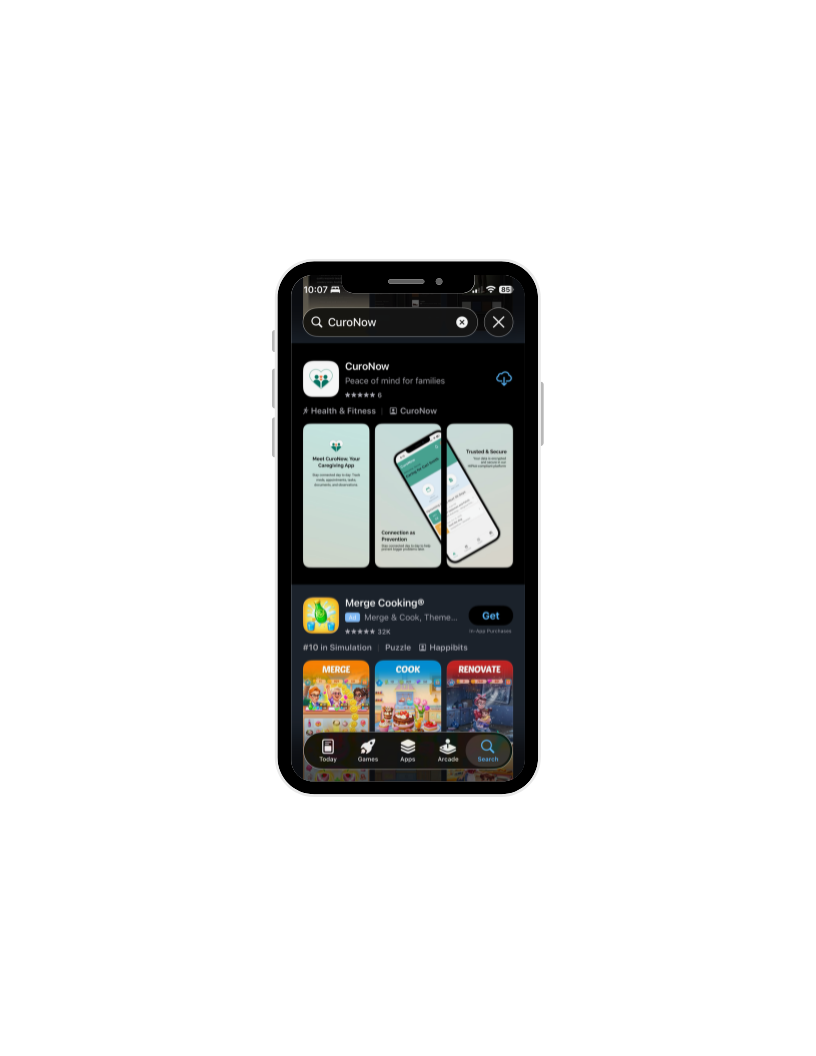
Step 1: Download the App
Search for CuroNow in the App Store (IPhone) or Google Play (Android) and tap Download. It is free.
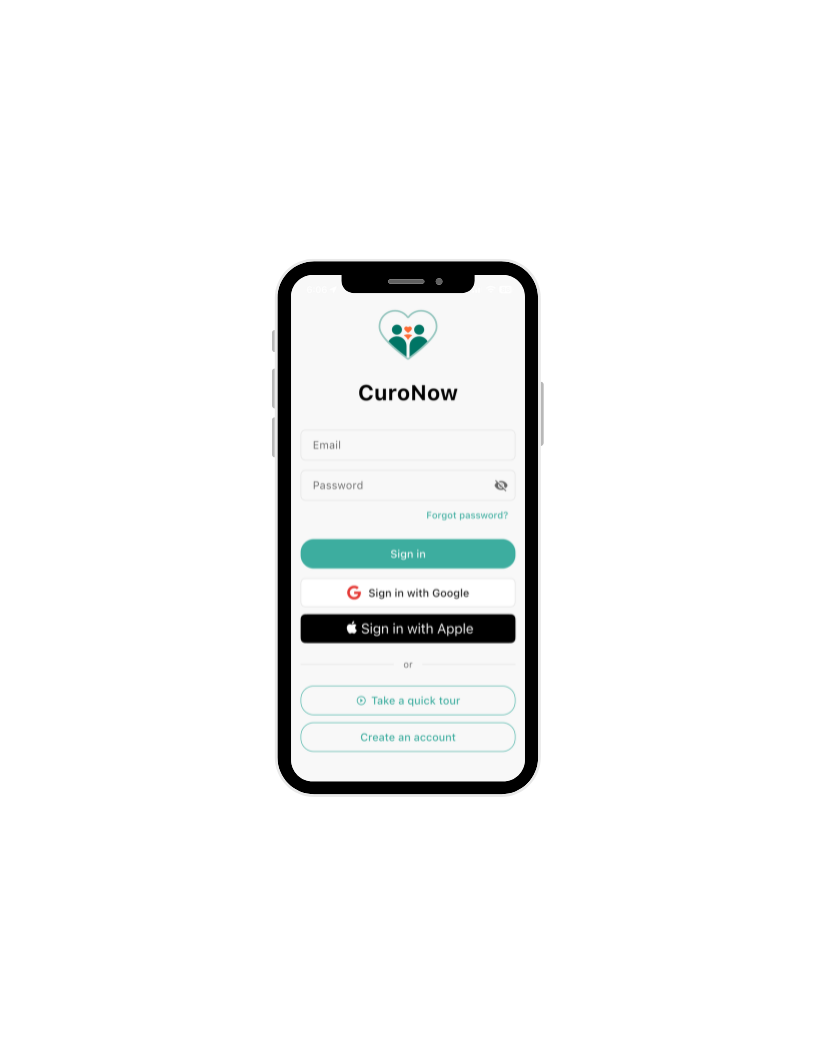
Step 2: Sign In
Once the app opens, you will see the CuroNow welcome screen.
We recommend signing in with Google or Apple. It is the fastest way in and skips a couple of email verification steps.
If you have a Gmail account, tap Sign in with Google
If you use an Apple ID, tap Sign in with Apple
Either one works great.
Tip: Don't have Google or Apple?
Tap Create an account at the bottom and use an email/password combination to sign in.
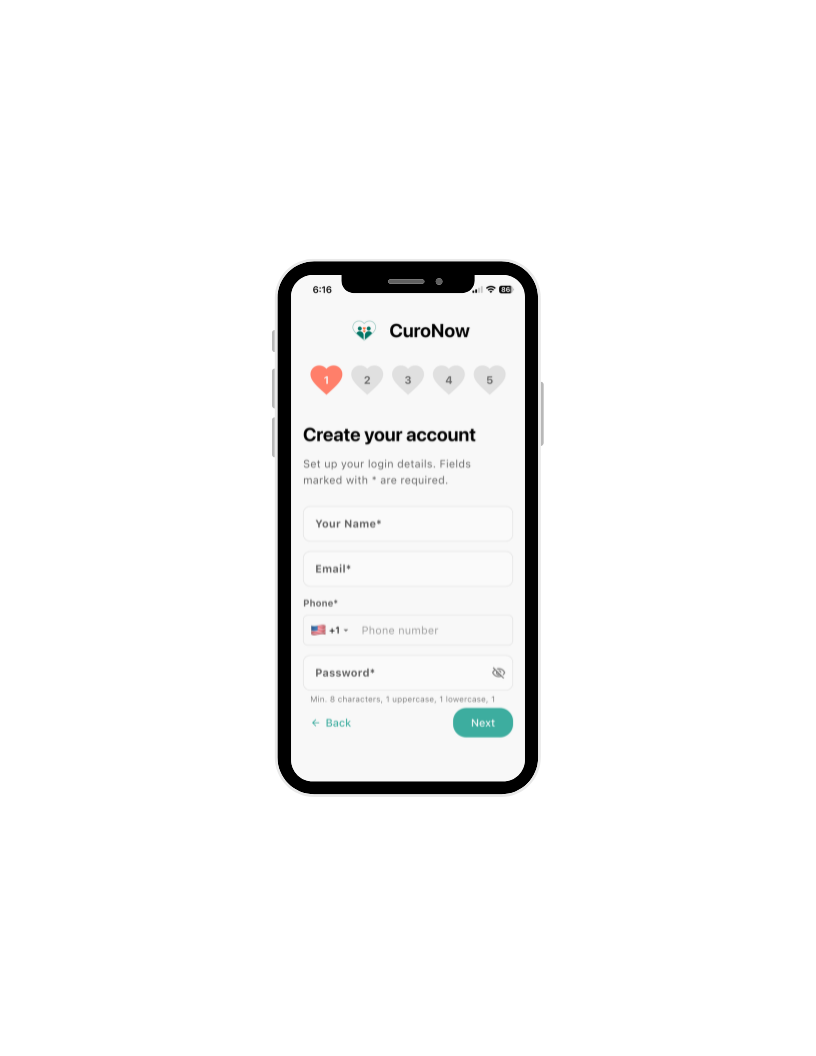
Step 3: Create Your Account
Fill in the following fields on the Create your account screen.
Your Name
Email address
Phone number
Password — must be at least 8 characters with one uppercase letter, one lowercase letter, and one number. A simple example that works: Family123
Confirm Password — type your password again in the field below. Scroll down if you do not see it.
Tap Next when ready.
You will see the hearts at the top fill in as you go. That is just the app showing your progress. Keep going until all five are filled.
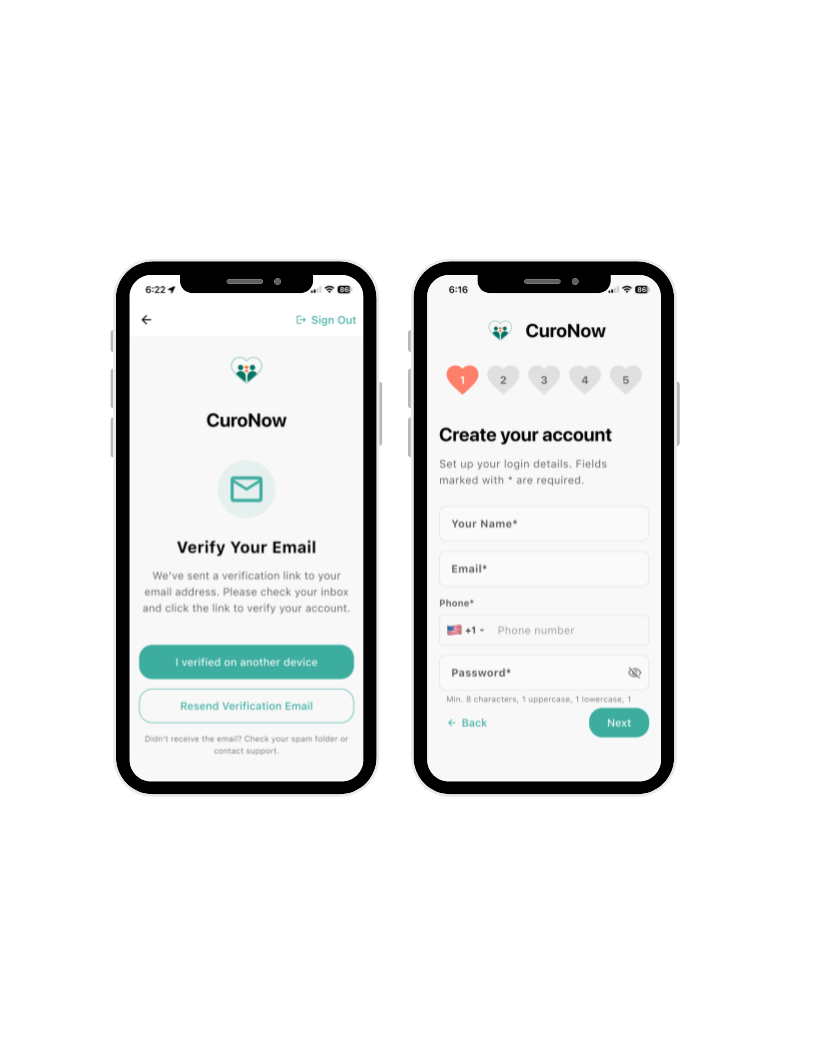
Step 4: Verify Your Email
You will see a screen that says:
Verify Your Email. We’ve sent a verification link to your email address. Please check your inbox and click to verify your account.
CuroNow will send a verification link to the email address you entered. Here is what to do:
Open your email app
Look for a message from CuroNow
Tap the link inside to verify your account
Come back to the CuroNow app and continue
Tip: Do not see the email? Check your spam or junk folder. Still nothing? Tap Resend Verification Email on this screen.
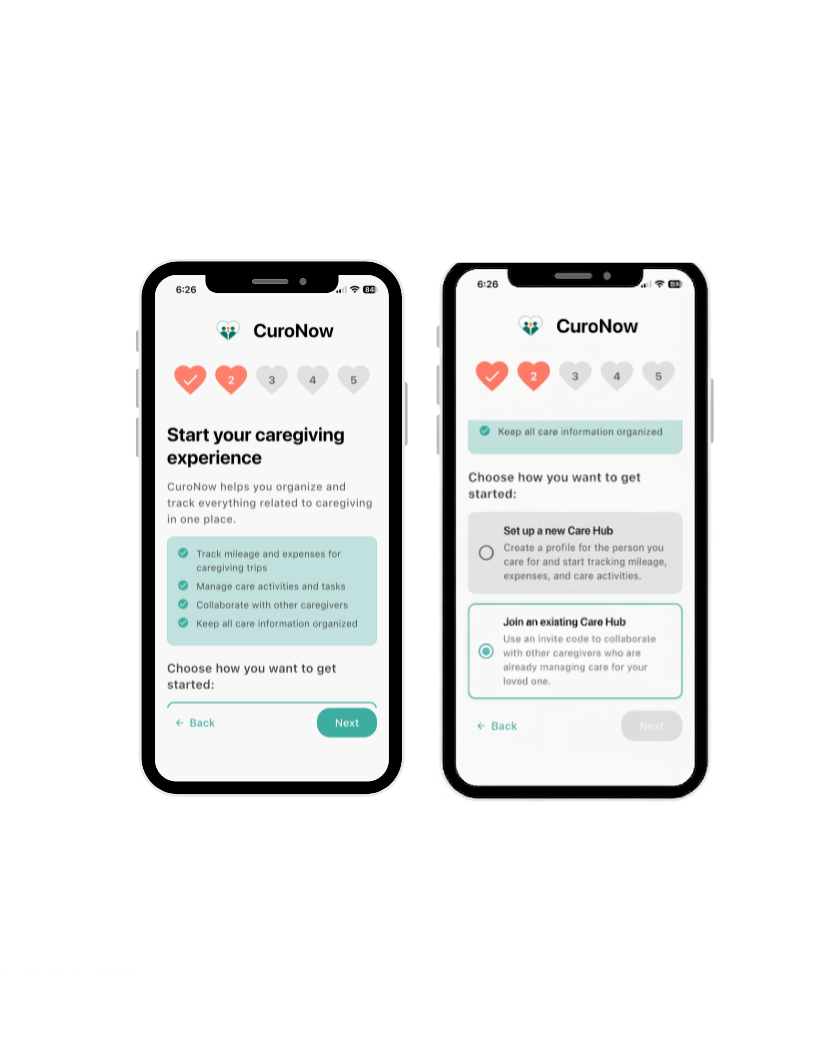
Step 5: Choose How To Get Started
After verifying your email,you will see a screen called Start your caregiving experience. Scroll to where it asks how you want to get started. It shows two options.
Important: Since Sunshine has already set up your loved one's Care Hub, select Join an existing Care Hub. Do not select Set up a new Care Hub.
Tap Next.
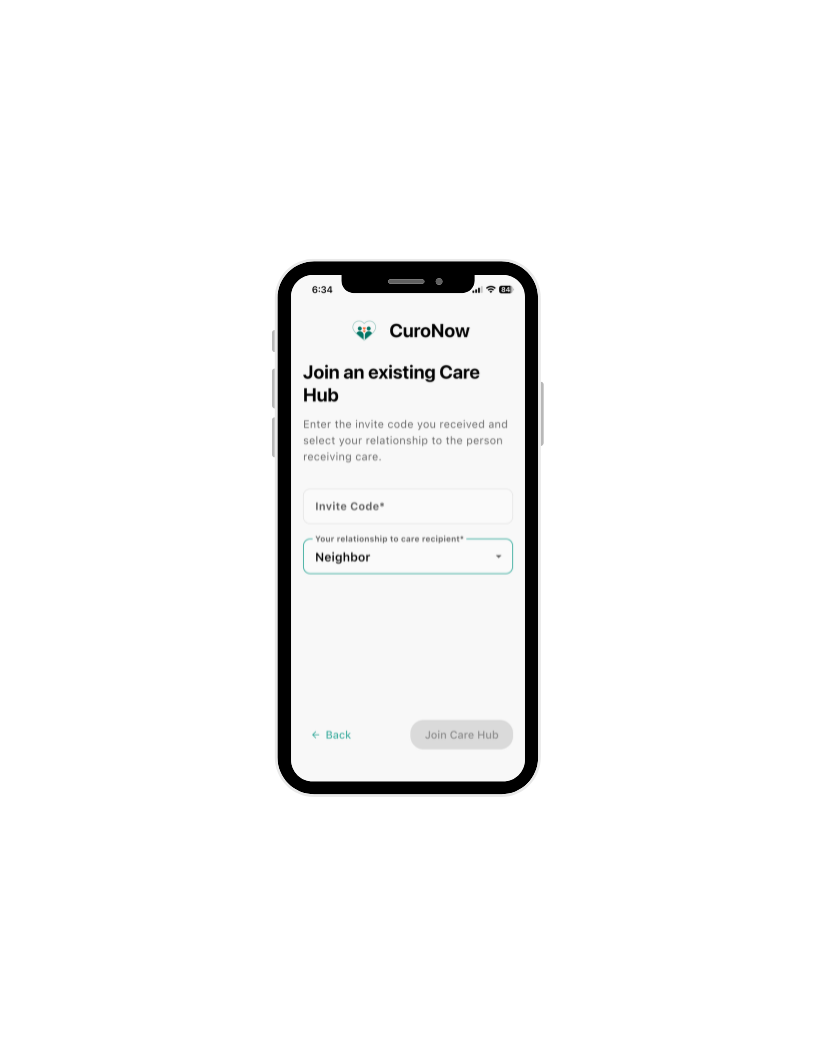
Step 6: Enter Your Invite Code
You will need the invite code that Sunshine sent you when you were enrolled in CuroNow. Have that email open, or jot it down before this step, so the code is handy.
Type the invite code into the Invite Code field. Then tap the relationship dropdown and select how you are connected to your loved one, for example Daughter, Son, or Spouse. Once both fields are filled in, the Join Care Hub button will turn teal.
Tap it to continue.

Step 7: Review & Agree to the Terms
Almost in! On this screen, tap Terms and Conditions to read them, then check the box. Do the same for the Privacy Policy. Both are required before you can continue.
Tap Next when ready.
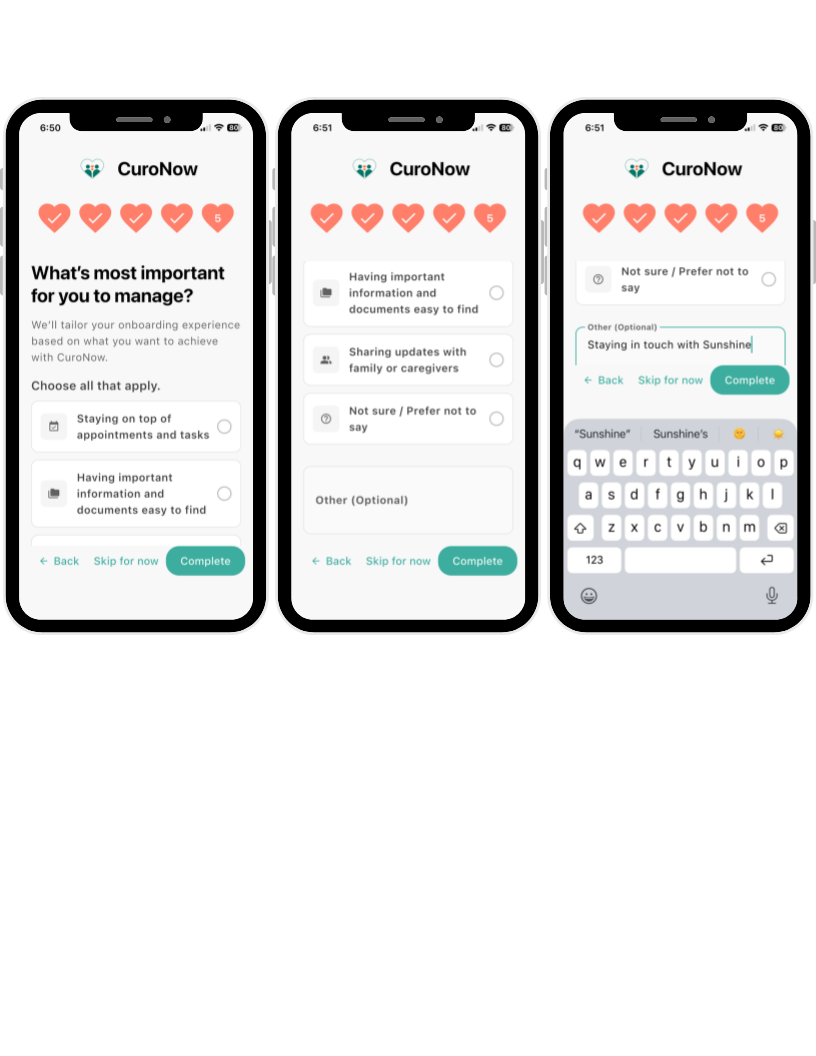
Step 8: One Last Question
CuroNow will ask what matters most to you so it can personalize your experience.
Select everything that applies, or tap Skip for now if you would rather jump straight in. There is no wrong answer.
Tap Complete when done, or Skip for now to go straight to your Care Hub.
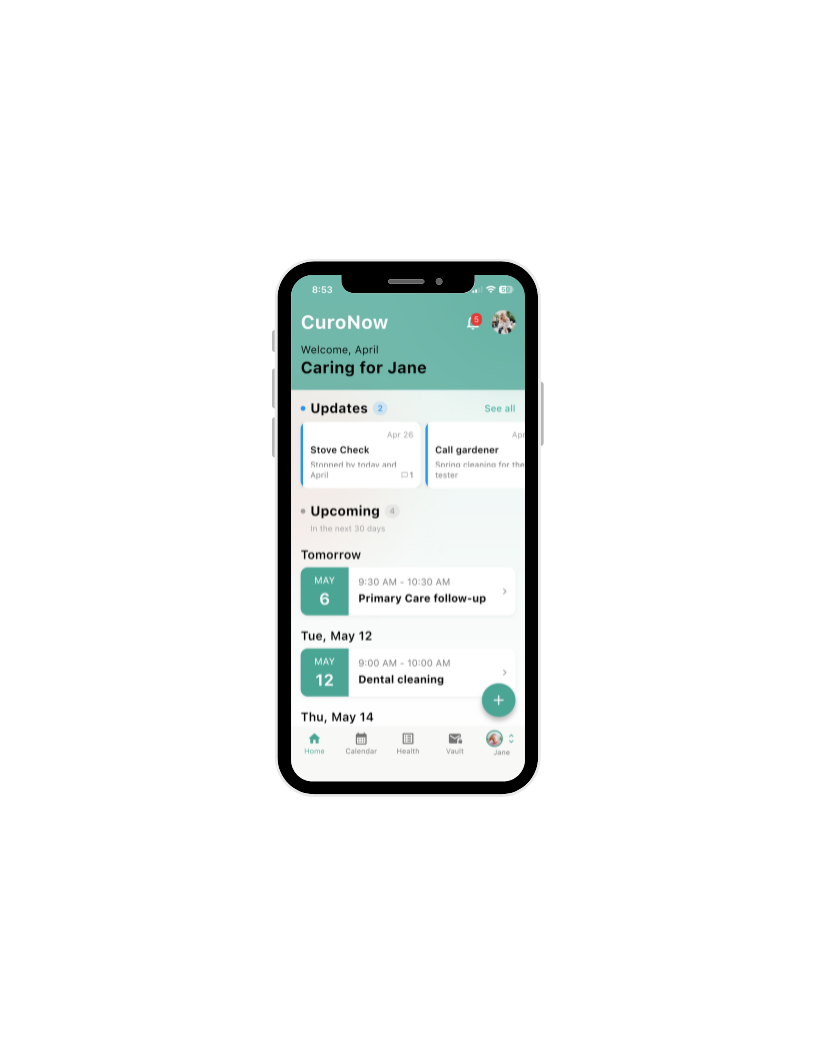
Step 9: You’re in. Meet Your Care Hub.
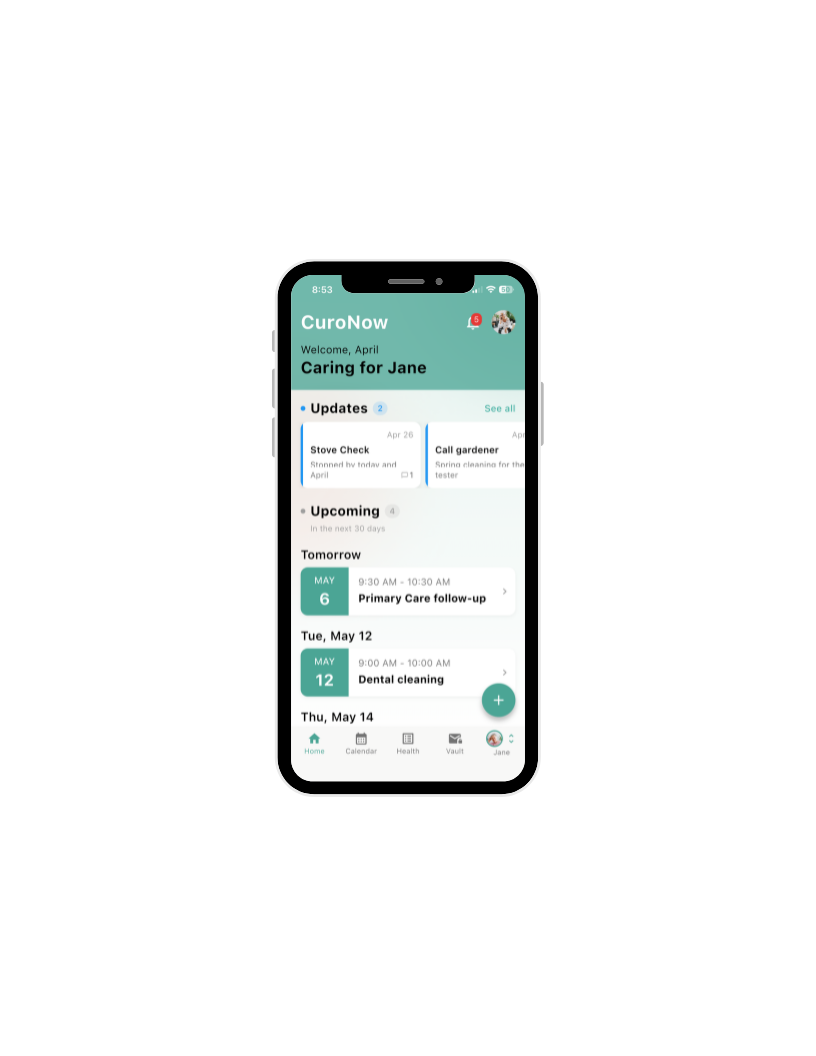
Welcome! You will land on your loved one's home screen. You will see their name at the top, Updates from the Sunshine office, and their Upcoming schedule.
You are all set for the pilot. But before you explore, there is one feature we want to make sure you know about.
The app will now walk you through a quick 10-step tour of all the key features. We recommend tapping through it. It only takes two minutes and shows you exactly where everything lives.
Tip: Tap Next to start the tour, or Skip if you would rather explore on your own. You can always access the tour again from your account settings.
What You Will Find in the App
Updates — this is the most important one. Updates is where the Sunshine office will communicate with your family.
When Sunshine posts something, you will see it at the top of your home screen with a number badge showing new messages.
Tap any Update to read it, or tap See all to view your full history. This is your direct line to the Sunshine team, without picking up the phone.
Explore the App
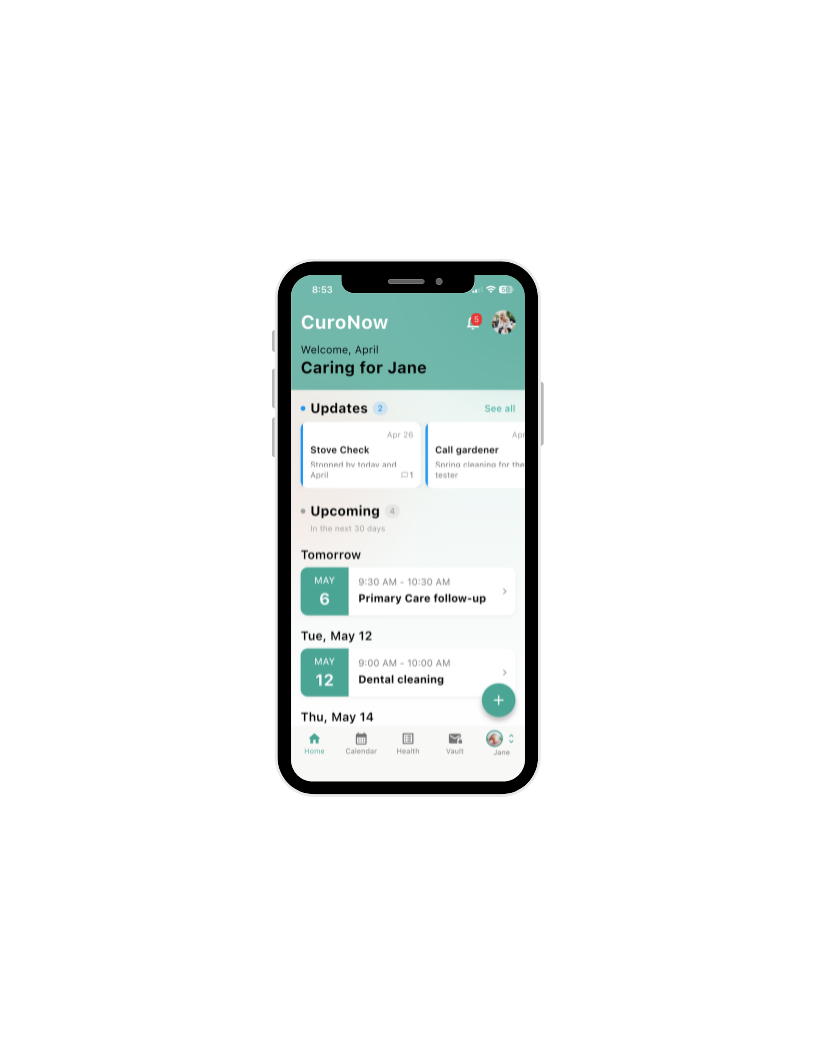
Here is a quick map of the five tabs at the bottom of your screen:
Home Your main dashboard. Updates from Sunshine and your loved one's upcoming schedule live here.
Calendar Full monthly view of appointments, tasks, and caregiver visits.
Health Track medications, conditions, vitals, and health notes in one place.
Vault Store important documents like insurance cards, legal forms, and health records.
Care Recipient (your loved one's name) Switch between care hubs or access hub shortcuts.
When you are ready to explore more, here is what else the app can do:
Stay organized. Add appointments, tasks, and reminders directly in the app so nothing gets missed.
Invite a family member. Keep a sibling, spouse, or other family member in the loop by inviting them to join the Care Hub. See the next section for how.
Delegate a task. Assign tasks to other Care Hub members so everyone knows who is doing what.
Just explore. Tap around. There is no wrong move.
Step 10: Invite a Family Member
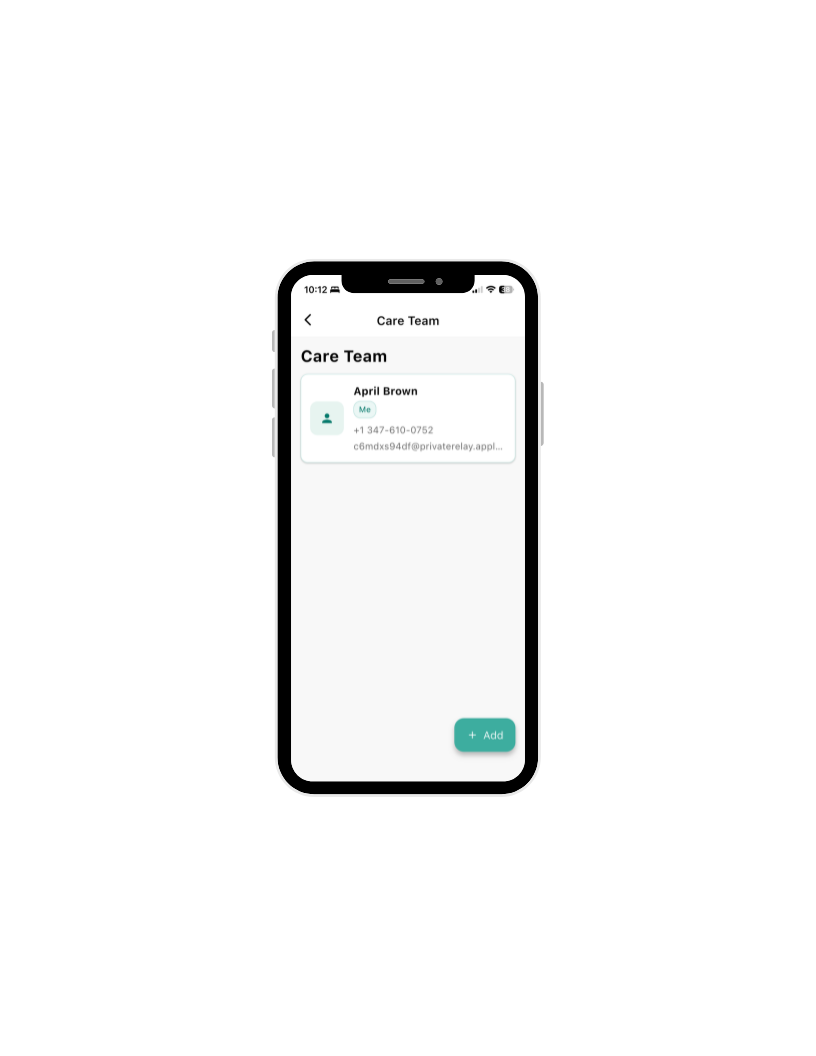
Want to keep someone else in the loop? You can invite a sibling, spouse, or any family member to join your loved one's Care Hub. Once they join, they will see the same schedule and Updates you do.
Here is how:
Tap your loved one's name in the bottom right corner of the screen
A panel will slide up from the bottom. Tap Care Team
In the bottom right corner, tap the green +Add button
Enter their name and email address.
Tap Send Invitation
They will receive an email invitation to download CuroNow along with a code just as you did and join the Care Hub.
Tip:They will need to create their own CuroNow account when they accept the invite.
Need Help?
If you get stuck at any point, contact us at sunshine@curonow.com.
Thank you for being part of the CuroNow pilot. We are glad you are here.